 By admin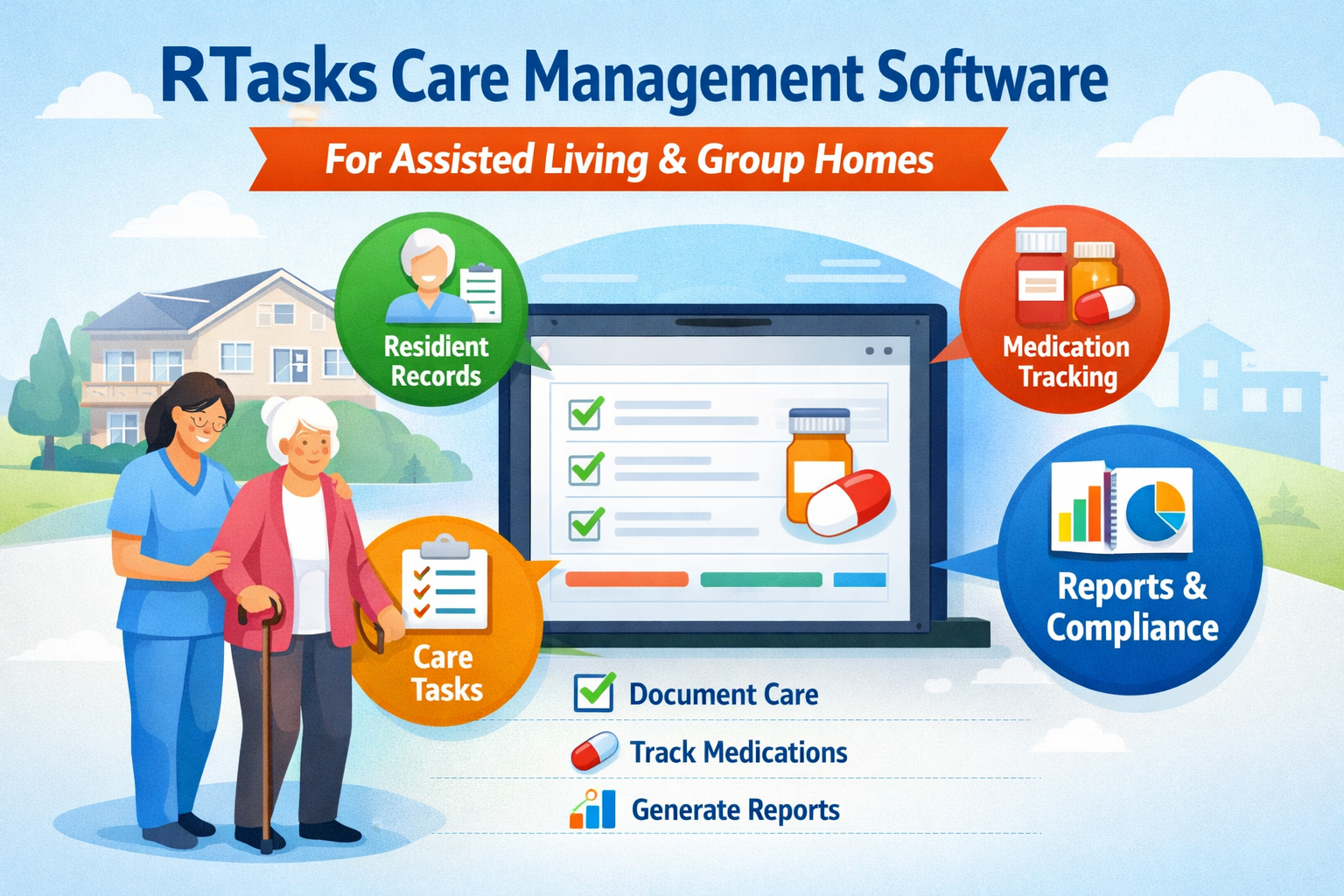
Assisted living facilities and group homes care for people who need daily support. Staff members help residents with personal care, meals, medicines, and daily activities. To give good care, staff must record what they do and follow clear routines. Many care homes still use paper files or mixed systems. This can cause mistakes, missing records, and extra work Benzift78
This article explains RTasks in clear and simple words. You will learn what RTasks is, who uses it, what features it has, its benefits, and how it compares with other systems.
What Is RTasks?
RTasks is an online care record and task management system for residential care settings.
It helps care staff:
-
Store resident information
-
Record daily care tasks
-
Track medicine use
-
Create care reports
-
Follow care rules and standards
RTasks is not a personal to-do list app. It is a professional system used in care homes and group homes to manage care work.
Who Uses RTasks?
RTasks is made for different people who work in care homes.
Main Users
| User Type | How They Use RTasks |
|---|---|
| Caregivers | Record daily care and support tasks |
| Nurses | Track medicine use and care notes |
| Medication Aides | Log medicine administration |
| Supervisors | Check staff work and task completion |
| Administrators | Review reports and care records |
| Owners | Monitor care quality and operations |
Types of Facilities
RTasks is used in:
-
Assisted living facilities
-
Group homes
-
Residential care homes
-
Supported living centers
-
Long-term care homes
Main Features of RTasks
RTasks has several core features that help care homes manage daily work.
1. Resident Management
This feature stores all basic resident information in one place.
It includes:
-
Resident profiles
-
Care needs
-
Service plans
-
Daily notes
Benefits:
-
Easy access to resident information
-
Better care planning
-
Less time searching for files
Medication Management (eMAR)
Medicine records are very important in care homes. RTasks helps staff track medicines in a digital way.
Key points:
-
Records when medicine is given
-
Tracks medicine schedules
-
Keeps medicine history
-
Helps avoid missed doses
Why this is important:
-
Fewer medicine mistakes
-
Clear records for reviews
-
Better safety for residents
Task and Daily Care Management
Daily care includes many small tasks. RTasks helps staff know what to do and when.
Examples of tasks:
-
Personal care
-
Wellness checks
-
Meal support
-
Daily activities
Benefits:
-
Clear task lists
-
Better teamwork between shifts
-
Less missed care
Reports and Documentation
RTasks helps create digital care records and reports.
Common reports include:
-
Daily care records
-
Staff task completion
-
Resident care history
-
Compliance reports
Why reports matter:
-
Easy audits
-
Better planning
-
Clear proof of care
Security and Access Control
Resident information must be protected.
Security features include:
-
User login
-
Role-based access
-
Limited access to sensitive data
This helps keep resident information safe.
Benefits of Using RTasks
RTasks helps care homes in many ways. The benefits are not only technical. They also improve daily care work.
Key Benefits
-
Less paper work
-
Faster record keeping
-
Better care tracking
-
Clear staff roles
-
Better care quality
-
Easier compliance
Benefits for Staff
-
Less time writing reports
-
Clear daily task lists
-
Less confusion between shifts
-
Easy access to resident records
Benefits for Management
-
Better view of daily operations
-
Easy access to reports
-
Better control over care quality
-
Improved compliance support
How RTasks Helps Improve Care Quality
RTasks helps improve care by making daily work more clear and organized.
Care Quality Improvements
-
Better communication
-
Staff can see what others have done
-
-
More accurate records
-
Digital records reduce missing data
-
-
Better follow-up care
-
Tasks are clearly tracked
-
-
More consistent care
-
Standard care steps are followed
-
These improvements help residents get steady and safe care.
RTasks vs Paper-Based Systems
Many care homes still use paper records. Digital systems like RTasks offer clear advantages.
Comparison Table: RTasks vs Paper Records
| Area | Paper Records | RTasks Digital System |
|---|---|---|
| Record keeping | Handwritten | Digital |
| Error risk | High (lost or unclear notes) | Lower (clear digital entries) |
| Access to records | Slow and manual | Fast and online |
| Reporting | Manual work | Automatic reports |
| Data safety | Can be lost or damaged | More secure storage |
RTasks vs Large Hospital EHR Systems
Some care homes use large hospital systems. These systems can be too complex.
Comparison Table: RTasks vs Hospital EHR
| Area | Hospital EHR System | RTasks |
|---|---|---|
| Designed for | Hospitals and clinics | Assisted living and group homes |
| Ease of use | Complex | Simple and focused |
| Training needed | High | Lower |
| Cost | Often high | More suitable for small facilities |
| Daily care tasks | Not always easy to track | Built for daily care work |
How RTasks Is Set Up and Used
Using RTasks needs some planning.
Basic Setup Steps
-
Review current care processes
-
Set up RTasks based on daily routines
-
Train staff members
-
Add resident data
-
Start using the system
-
Improve processes over time
Common Challenges
-
Staff may resist change
-
Some users need more training
-
Data entry takes time at first
These challenges are normal when moving from paper to digital systems.
Cost and Value
The cost of RTasks depends on:
-
Facility size
-
Number of users
-
Features used
Cost vs Value Table
| Factor | Impact on Facility |
|---|---|
| Software cost | Monthly or yearly expense |
| Training time | Short-term time investment |
| Time saved | Long-term staff efficiency |
| Fewer errors | Lower risk and better safety |
| Better compliance | Reduced risk of penalties |
Over time, the value of this can be higher than the cost due to saved time and better care control.
Frequently Asked Questions (FAQ)
Is RTasks good for small care homes?
Yes. RTasks works well for small and medium care homes.
Can many staff use RTasks at the same time?
Yes. Multiple staff members can log in and use the system together.
Is RTasks online?
Yes. RTasks is web-based and can be accessed with internet connection.
Does RTasks replace good care policies?
No. RTasks supports care work, but good policies and training are still needed.
Is RTasks a personal task app?
No. RTasks is a professional care management system for care homes.
Conclusion
it is a simple and practical digital system for assisted living facilities and group homes. It helps staff record daily care tasks, manage resident information, track medicines, and prepare care reports. By replacing paper records, it reduces mistakes, saves time, and improves care quality,while RTasks is not a full hospital system, it is well suited for residential care settings. With proper setup and staff training, RTasks can help care homes provide safer, more consistent, and more organized care.